How to Sign Up on AliExpress from India
A short guide to creating an AliExpress account from India. Registration takes about two minutes, needs only an email or phone number, and works in…
A short guide to creating an AliExpress account from India. Registration takes about two minutes, needs only an email or phone number, and works in any browser — the blocked app is not required. After signing up, start browsing the catalog.
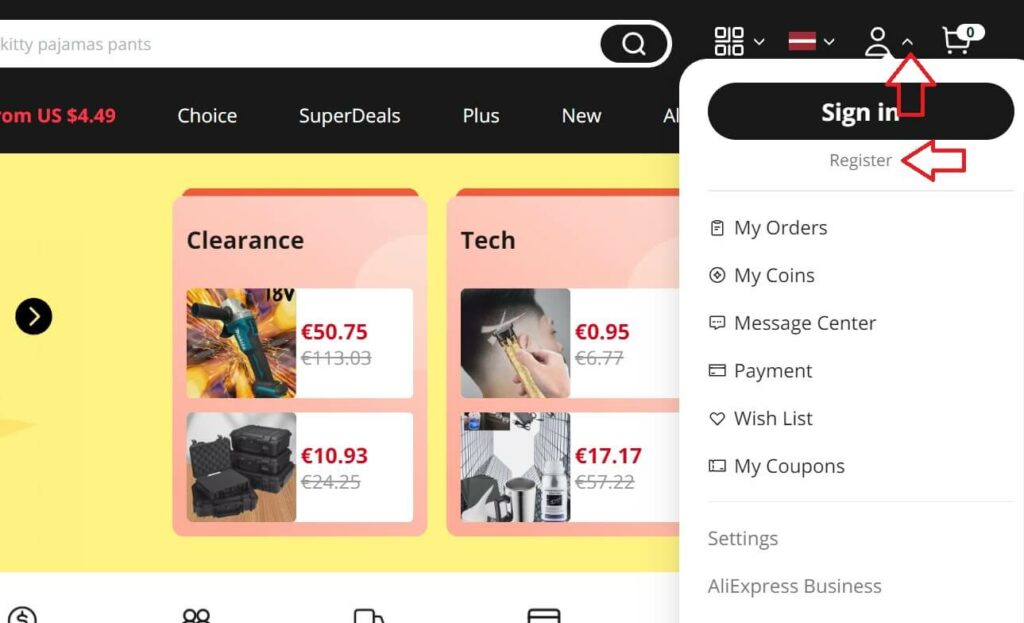
Step 1: open the registration page
Open aliexpress.com in your browser. If the site is slow on your network, retry or switch networks — availability for Indian users varies. Click the 'Sign in' or 'Create account' button at the top of the page to begin.
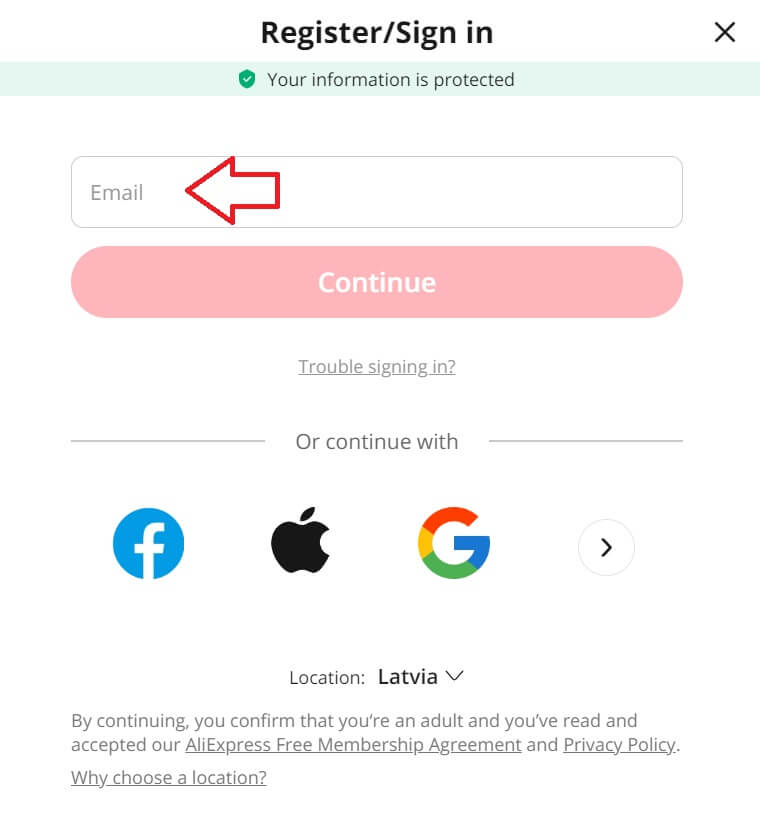
Step 2: enter your email or phone number
Enter your email address or mobile number and click Continue. An email address is the safer choice for Indian users: verification codes by SMS can fail if your number's country code is misdetected.
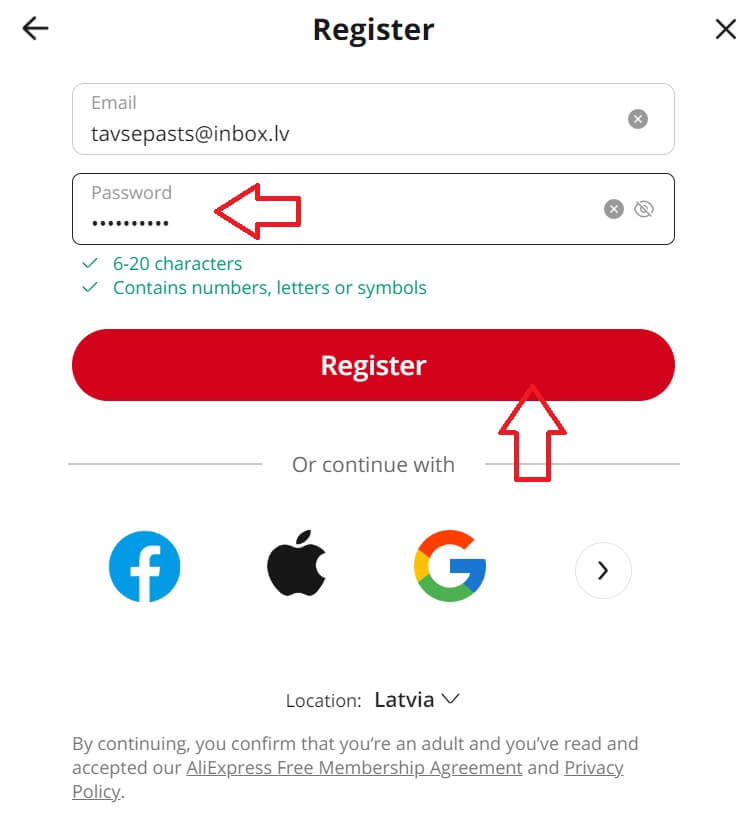
Step 3: create a password
Set a password of 6 to 20 characters with letters, numbers and special characters. Save it in a password manager at once — account recovery from India can be slow.
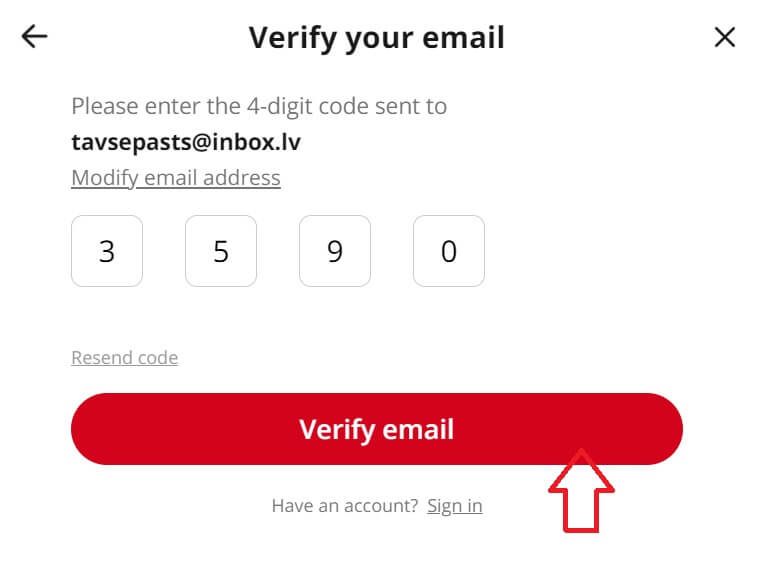
Step 4: verify with the code
In the Verify your email window, type the four-digit code sent to your inbox and click Verify Email. Slide the verification slider to the right if the robot check appears. Your account is now active.
Once verified, set your currency to INR and your delivery country to India in the account settings, so prices and shipping options show correctly. Delivery rules and customs costs are explained on the homepage, and every order can be followed on the tracking page.
Signing up with social accounts. Google, Facebook, X and Apple sign-up buttons exist, and they work from India in most cases. Email registration remains the most reliable route, so we recommend it.